An OBD-II scanner can display a fault code without identifying the failed part. It may connect to the engine computer while showing nothing from the airbag or ABS system. Clearing the code can turn off the warning light for a while, yet the light may return once the vehicle repeats the check that detected the problem.
That behavior reflects the tool’s purpose. Standard OBD-II gives you a common way to read mainly emissions-related information; it does not provide complete access to every electronic system in a vehicle. Used carefully, a scanner helps you preserve clues, decide what to check next, and judge whether a repair has held. Its limits matter as much as the data on its screen.
- What an OBD-II Scanner Is Designed to Do
- What an OBD-II Scanner Can Read
- How Live Data and OBD-II Requests Work
- What a Basic OBD-II Scanner Usually Cannot See
- Why Scanners Give Different Results on Different Cars
- How to Use the Scanner Without Misdiagnosing the Car
- Common OBD-II Myths and the Better Question to Ask
- Frequently asked questions
- Do you start the engine when using an OBD-II scanner?
- What is the difference between OBD and OBD-II?
- What can an OBD-II scanner detect?
- What’s the difference between an OBD and OBD-II scanner?
What an OBD-II Scanner Is Designed to Do
OBD-II is a standardized approach to onboard diagnostics and communication. It was developed primarily for emissions monitoring and environmental compliance, so its common functions concentrate on faults and operating conditions relevant to that purpose. The standard lets a compatible scanner make defined requests and interpret the responses. It does not require a vehicle to expose every control module or every measurement its computers use internally.
In the United States, OBD-II became mandatory for vehicles from the 1996 model year. That date is useful when checking a U. S.-market vehicle, but it is not a worldwide compatibility rule. Requirements and implementations differ by market and model year. An older vehicle, an imported vehicle, or one built for another market needs a more specific compatibility check than a glance at its registration date.
The diagnostic connector is the physical starting point, not a promise of access. Communication also depends on its wiring, the vehicle’s protocol, the electronic control unit (ECU), and the scanner’s hardware and software. A tool may connect and read standard emissions-related data while being unable to retrieve a manufacturer-specific code stored elsewhere in the car.
This distinction is useful before buying a scanner or paying for a diagnostic session. Standard OBD-II coverage can answer whether the engine controller has recorded a relevant fault and what selected conditions it reports. Manufacturer-specific diagnostics may be needed to investigate a particular transmission behavior, an airbag warning, or a service function. The word “diagnostics” on a product description does not establish which of those jobs it can do.
What an OBD-II Scanner Can Read
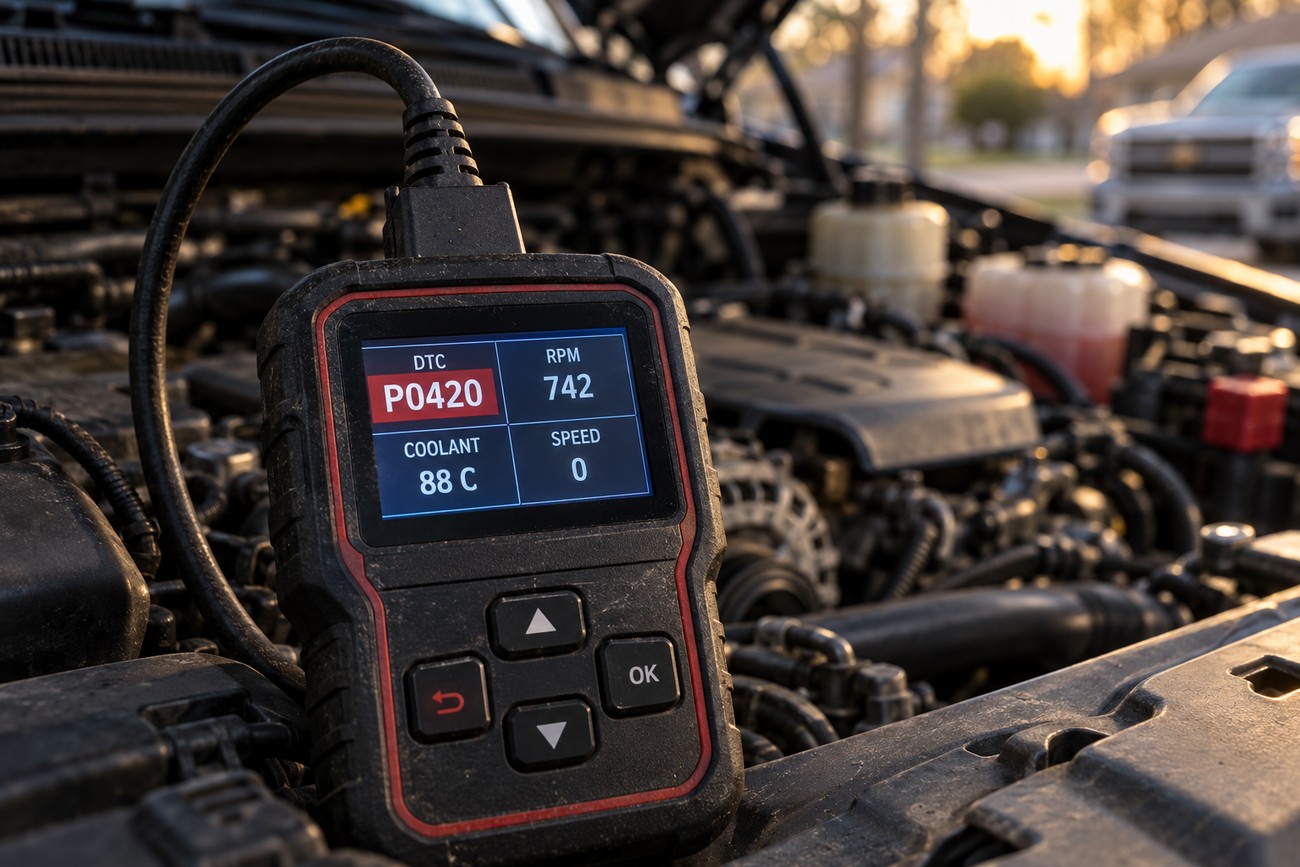
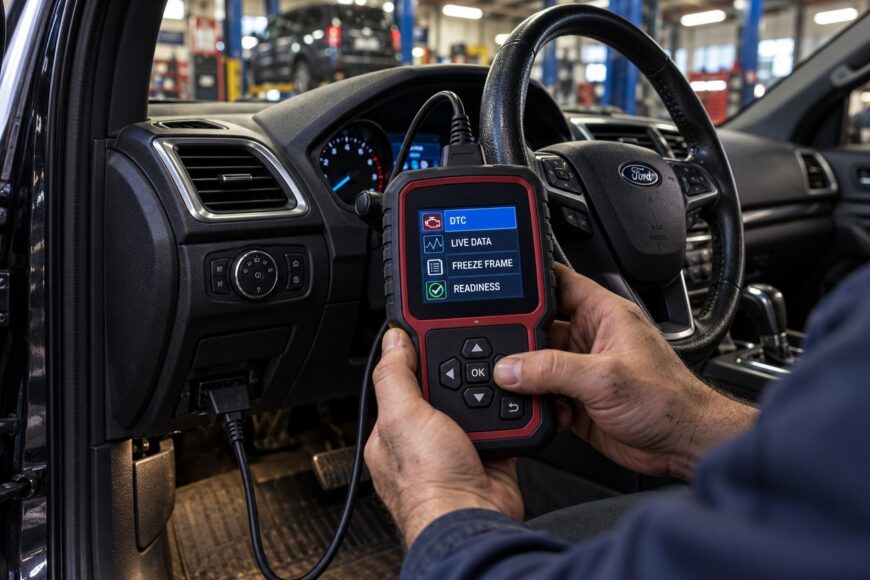
Diagnostic trouble codes, or DTCs, are the output most owners notice first. A code means a monitored test or condition met criteria set by the vehicle’s control system. It may point to a circuit, a system operating outside its expected range, or a symptom the ECU detected. Even a code description that names a sensor does not prove that the sensor itself has failed; wiring, operating conditions, and other components may affect the same test.
Live data shows values the ECU reports while the scanner is connected. Common standard parameters include engine RPM, vehicle speed, coolant temperature, engine load, fuel trim, intake-manifold pressure, and mass airflow. These readings can help you compare a complaint with the vehicle’s reported behavior. They require context, though: a coolant-temperature value is more useful when you know whether the engine has been sitting overnight or has reached operating temperature.
Freeze-frame information captures selected operating conditions associated with a fault, when the vehicle supports and stores it. It can show whether a problem was detected at idle, under load, or at a particular engine temperature. The snapshot is limited; it is not a recording of everything that happened before and after the event. Still, it gives you a starting condition to investigate and can be especially valuable when the fault does not occur on demand.
Readiness monitors report whether supported self-checks have completed. They matter when you are assessing whether the vehicle has had an opportunity to check its emissions-related systems, including before an inspection where such status is considered. A Check Engine light that is off does not, by itself, mean every supported monitor is ready. After codes are cleared or power is lost, some checks may need suitable operating conditions before they complete again.
Together, these outputs answer different questions. The code identifies the test that raised concern; freeze-frame information describes conditions around detection; live data shows selected conditions now; and readiness status indicates which supported checks have run. Treating one screen as the whole diagnosis can lead you to replace a part before confirming the conditions that made the vehicle flag it.
How Live Data and OBD-II Requests Work
A scanner obtains standard information by sending defined requests, rather than by displaying an unrestricted feed from the ECU. The basic standardized request range includes modes 01–0A, with functions covering current data, fault information, and other supported results. A scanner’s menus may use plain-language labels instead of mode numbers. What appears in those menus still depends on both the requests the tool implements and the responses the vehicle supports.
Each live-data item has a parameter identifier, or PID, and a defined way to interpret its response. Engine RPM uses PID 010C: the returned value is interpreted at 0.25 rpm per bit. The number on the screen is therefore calculated from standardized data, rather than sent as a ready-made dashboard-style display. That standardization makes readings comparable in principle, but it cannot guarantee that every ECU offers the same set of PIDs.
A missing parameter is not necessarily evidence of a failed sensor. The vehicle may not support that standard request, the relevant information may be available only through a manufacturer-specific request, or the app may simply omit it. Check the scanner’s supported-PID display, if it has one, before treating a blank field as a vehicle fault. Likewise, a value labeled “unsupported” deserves a different response from a supported value that is genuinely implausible.
Update quality also affects interpretation. Asking for many PIDs at once can leave each value refreshing less often, and an unreliable adapter or wireless link can make graphs appear jumpy. If you need to investigate a brief hesitation, select a small group of relevant readings and note the conditions under which they change. Do not infer the exact order of a short event from a slow display that updates different values at different moments.
What a Basic OBD-II Scanner Usually Cannot See
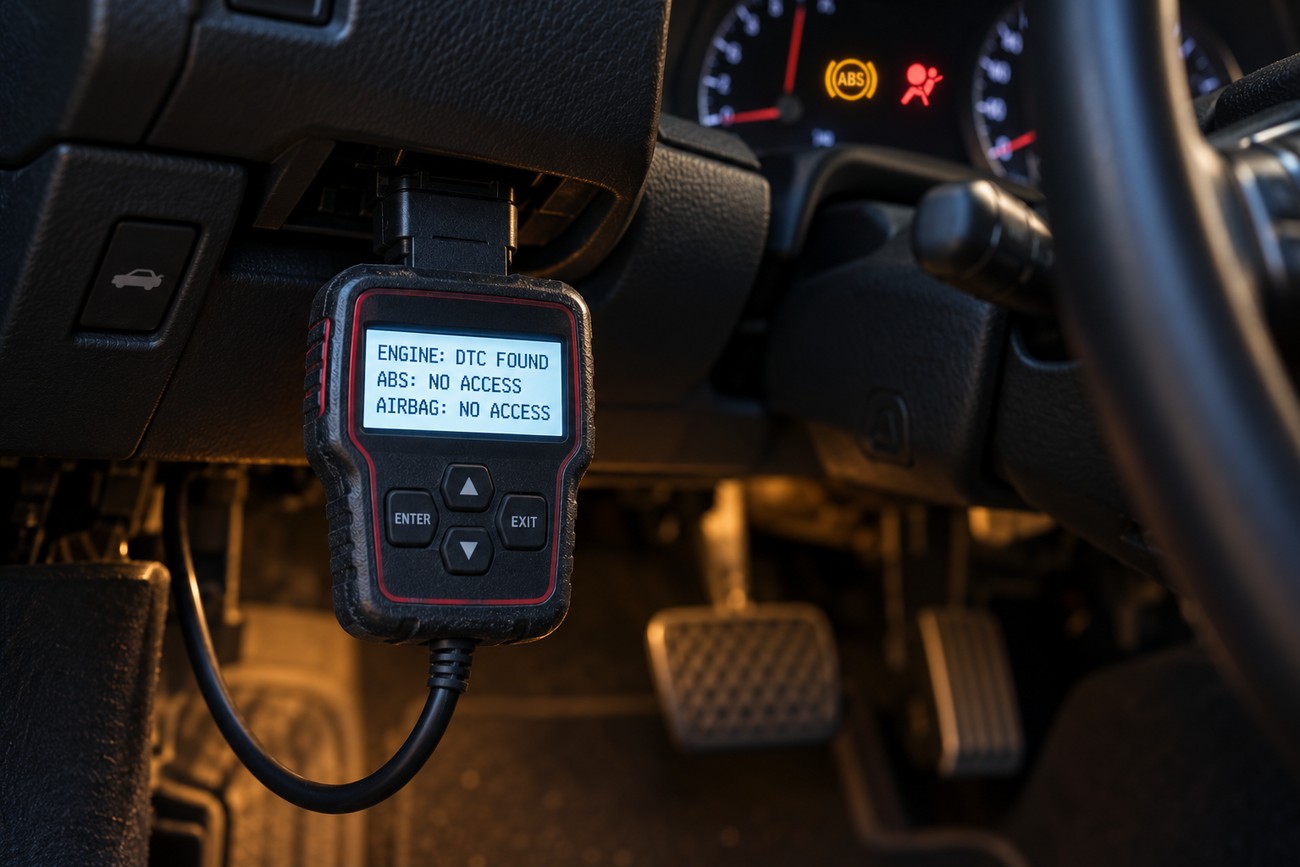
Basic OBD-II access is generally centered on standardized powertrain and emissions-related information. That explains a common disappointment: an inexpensive reader may retrieve a Check Engine code yet report nothing useful about an illuminated ABS or airbag warning. The other warning may have its own stored fault in a separate module. A blank result from an engine-focused scan does not clear that module of problems.
Access to ABS, airbags, transmission, body electronics, comfort features, service functions, and manufacturer-specific data is not guaranteed by OBD-II. Some tools offer enhanced coverage for particular vehicles, but coverage should be checked by system and function, not only by vehicle make. Reading a module’s codes, viewing its live data, and carrying out a service procedure are separate capabilities.
Bidirectional controls and coding go further still. A capable tool may be able to command a supported component for a test or perform a vehicle-specific setup procedure, provided the hardware, software, permissions, and vehicle support are in place. Those functions require care because an inappropriate command or setting can create a new problem. A product’s ability to read standard DTCs says nothing on its own about its ability to perform them.
Reading or writing calibration data may be possible on some vehicles, but it falls outside the guaranteed scope of a basic consumer scanner and depends on ECU support and access rights. If the task involves a safety system, module programming, or a manufacturer procedure, establish the exact vehicle and required capability first. A general-purpose code reader remains useful for its intended job without being a substitute for that equipment.
Why Scanners Give Different Results on Different Cars
Compatibility is a chain of requirements: market, model year, connector and wiring, communication protocol, ECU support, scanner implementation, and software. A plug that fits satisfies only the first visible step. Similarly, a list of supported makes may mean that a tool can read standard engine codes across those vehicles; it may say little about specific modules, model years, or live-data fields. Check the function you actually need.
Protocol families associated with OBD-II implementations include SAE J1850 VPW, SAE J1850 PWM, ISO 9141-2, ISO 14230-4 KWP, ISO 15765-4 CAN, and SAE J1939 CAN. They are not a checklist that every passenger car must support. The relevant question is whether the scanner and the particular vehicle can communicate using the applicable protocol, then whether the ECU responds to the requested data. A correct connection alone cannot supply a PID the ECU does not offer.
Scanner quality creates another difference. A low-cost adapter can establish a connection yet return incomplete or slow readings, lose messages, or show values that appear inconsistent because of its firmware or an unstable Bluetooth or Wi-Fi link. Before diagnosing the vehicle from an odd graph, repeat the reading with fewer selected parameters and a stable connection. If the result remains questionable, confirm it with another suitable tool or a direct physical check.
Software presentation deserves scrutiny as well. Apps may give the same reported value different labels, units, or graph scales, while enhanced data often depends on vehicle-specific software. Record the exact code and the unit displayed, rather than relying only on a paraphrased fault description or a screenshot with the axis cropped out. That small record makes it easier to separate a communication or display issue from a change in the vehicle itself.
How to Use the Scanner Without Misdiagnosing the Car
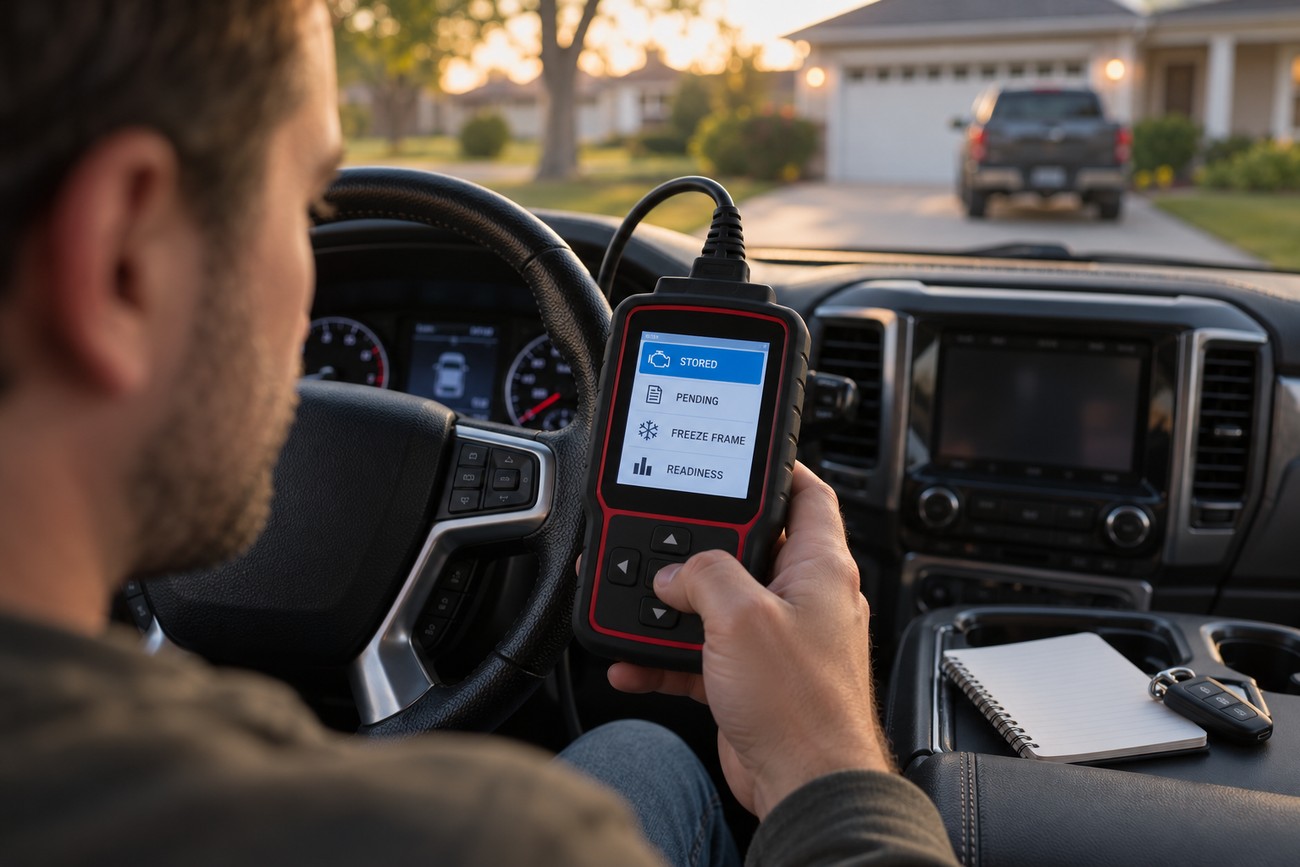
Start with the vehicle’s actual complaint: the warning light, the way it drives, and when the behavior occurs. Confirm the vehicle details and use the connection sequence specified for your tool. With the scanner communicating, read all available codes and note their status where the tool provides it, including whether they are stored or pending. Save the exact codes before opening a list of suggested replacement parts.
Next, preserve the conditions surrounding the fault. Record available freeze-frame information and relevant readiness status, then choose live readings that could help explain the complaint. For a rough-running engine, for example, operating temperature, engine load, and fuel-related readings may help narrow where to look. Their value lies in how they relate to the code and the circumstances, not in the sheer number of fields on the screen.
Follow the electronic clues with checks of what the scanner cannot verify directly. Depending on the symptom, that may mean inspecting connectors and wiring, looking for an intake leak, or checking a component’s operation with appropriate equipment. A DTC commonly identifies a monitored condition or circuit; it does not automatically confirm which part caused it. If driving behavior suggests an immediate safety concern, stop testing on the road and seek qualified help.
Consider clearing codes only after you have recorded the evidence and have a reason to reset the fault memory, such as checking a completed repair. Clearing does not correct the underlying condition, and it may remove freeze-frame information and affect readiness status. If the problem remains, the code can return after the vehicle repeats the relevant self-check. A light that stays off briefly after a reset is therefore a result to monitor, not proof of repair.
Common OBD-II Myths and the Better Question to Ask
“The code names the broken part” turns a diagnostic clue into a verdict. A fault description can mention a component because that component’s signal or circuit is involved in the failed test. Before replacing it, ask what conditions were present when the code set and which live readings or physical checks support that explanation. A plausible part name is a starting hypothesis.
“The connector gives access to every module” confuses a physical socket with the coverage of a standardized diagnostic request. A basic scan can return no engine codes while an ABS or airbag module still has a fault. Ask which module issued the warning and whether the tool can communicate with that module on this specific vehicle. If it cannot, an empty code list has a narrow meaning.
“All OBD-II scanners tell me the same thing” overlooks implemented modes, protocol support, vehicle coverage, and data quality. One device may read basic codes reliably while another adds useful vehicle-specific functions; a third may advertise broad coverage yet refresh live values poorly. Ask whether the tool performs the exact task you need and whether its readings are stable enough to guide a decision.
“Resetting the light fixes the fault” mistakes cleared memory for a completed repair. The more useful question is whether the original condition has been corrected and the relevant monitor has run again without detecting it. Checking both the code status and readiness status after appropriate operation gives you stronger evidence than a temporarily dark dashboard light.
Frequently asked questions
These operating and terminology details can help you get a useful first reading without asking the scanner to prove more than it can.
Do you start the engine when using an OBD-II scanner?
Usually, connect the scanner with the ignition off, then switch the ignition on to read codes and readiness status. Start the engine when you need live readings under running conditions, such as idle RPM or coolant temperature as the engine warms. A particular monitor may require additional driving conditions before it completes. Follow your tool’s instructions, because its connection sequence may differ, and keep the vehicle parked safely before navigating menus. If the scanner fails to connect, check its specified ignition setting and the vehicle’s battery condition before assuming there are no faults.
What is the difference between OBD and OBD-II?
OBD is the broad term for onboard diagnostics. OBD-II refers to the later standardized diagnostic and communication requirements commonly associated with U. S.-market vehicles from the 1996 model year. Earlier OBD systems can use different connectors, procedures, and code formats, so an OBD-II reader should not be assumed to work on a vehicle simply because that vehicle has onboard diagnostics.
What can an OBD-II scanner detect?
An OBD-II scanner can report supported emissions-related faults and the standard operating data a compatible ECU makes available. It may reveal, for example, that the ECU has detected an out-of-range condition even when the symptom is hard to notice. It cannot reliably detect every developing mechanical problem: a fault generally has to affect a monitored test, and some tests run only under particular conditions.
What’s the difference between an OBD and OBD-II scanner?
An OBD-II scanner is built to communicate through supported OBD-II protocols and requests. “OBD scanner” is a less precise label: it may describe an older-system tool or simply be shorthand for an OBD-II scanner. Check the tool’s stated vehicle years, markets, protocols, and functions against your vehicle rather than treating the two product labels as a compatibility guarantee.