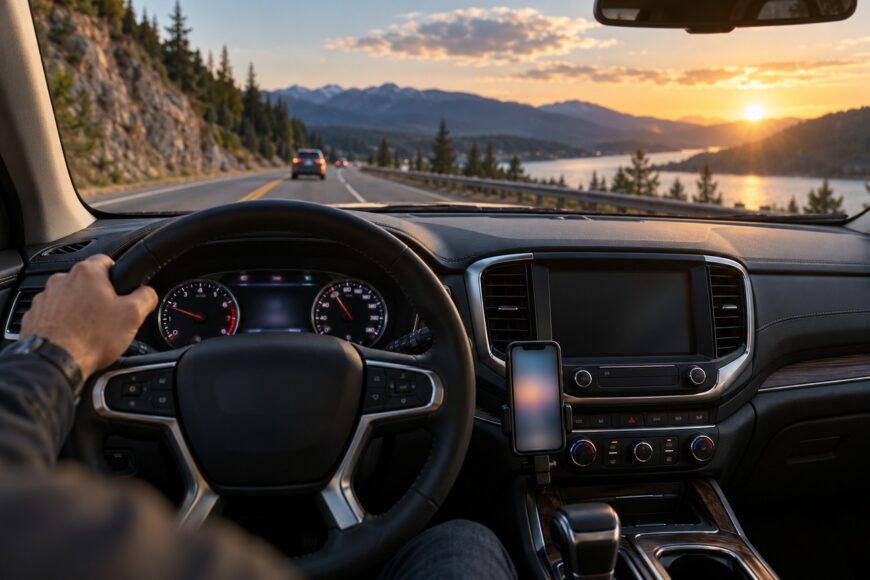
A phone mount can make navigation easier while creating a new hazard if it blocks part of the road, hides a control, or sits near a restraint-system zone. The safest installation is therefore a visibility decision first and a mounting decision second. A position that looks harmless from the passenger seat may sit directly in the driver’s forward view.
There is no universal best location. Vehicle layout, driver height, phone size, viewing angle, road surface, and the way you use the phone all affect the result. The finished setup must keep the phone readable with a brief glance, remain stable over the roads you drive, and comply with the rules of the jurisdiction where the vehicle is used.
- Start With the Driver’s View, Not the Empty Space on the Dashboard
- Choose the Mounting Zone for Your Car and Driving Routine
- Compare Phone Mount Types Before You Install One
- Install the Mount Without Creating a New Visibility Problem
- Test Visibility, Vibration, and Access Before You Trust the Setup
- Common Mistakes, Legal Disputes, and Safer Corrections
- Frequently asked questions
- Where is the safest place to put a phone holder in your car?
- Why does a suction-cup phone mount keep falling off?
Start With the Driver’s View, Not the Empty Space on the Dashboard
Begin in the normal driving position, with the seat, steering wheel, and mirrors adjusted as they are for everyday use. Look through the windshield and identify the main forward sightline before choosing a mounting point. Keep the phone below that line where possible, while leaving the road, instrument panel, climate controls, and multimedia controls clear.
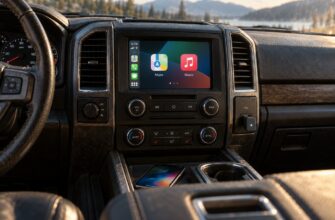
The lower dashboard or center console is often a practical starting zone if the screen remains readable with a brief downward glance. The phone should not require a pronounced turn of the head or neck, yet it should sit low enough that your eyes can return immediately to the road. A display placed directly in front of your face may appear easy to read, but its position can reduce the visible area ahead.
Vehicle geometry changes the answer. A tall driver may see over a phone that blocks the view for a shorter driver, while a deep dashboard, a high instrument binnacle, or a large phone can reverse that result. Test the position from the actual driver’s eye point, with the phone fitted, rather than judging it from the center of the cabin.
Windshield mounting is not automatically prohibited or automatically safe. Its acceptability depends on whether the mount and phone restrict visibility, and local rules may set additional limits. Some guidance permits a windshield position when it leaves the road view clear, while other guidance treats accessories in the forward viewing zone more strictly, so the relevant jurisdiction should decide the final choice.
Choose the Mounting Zone for Your Car and Driving Routine
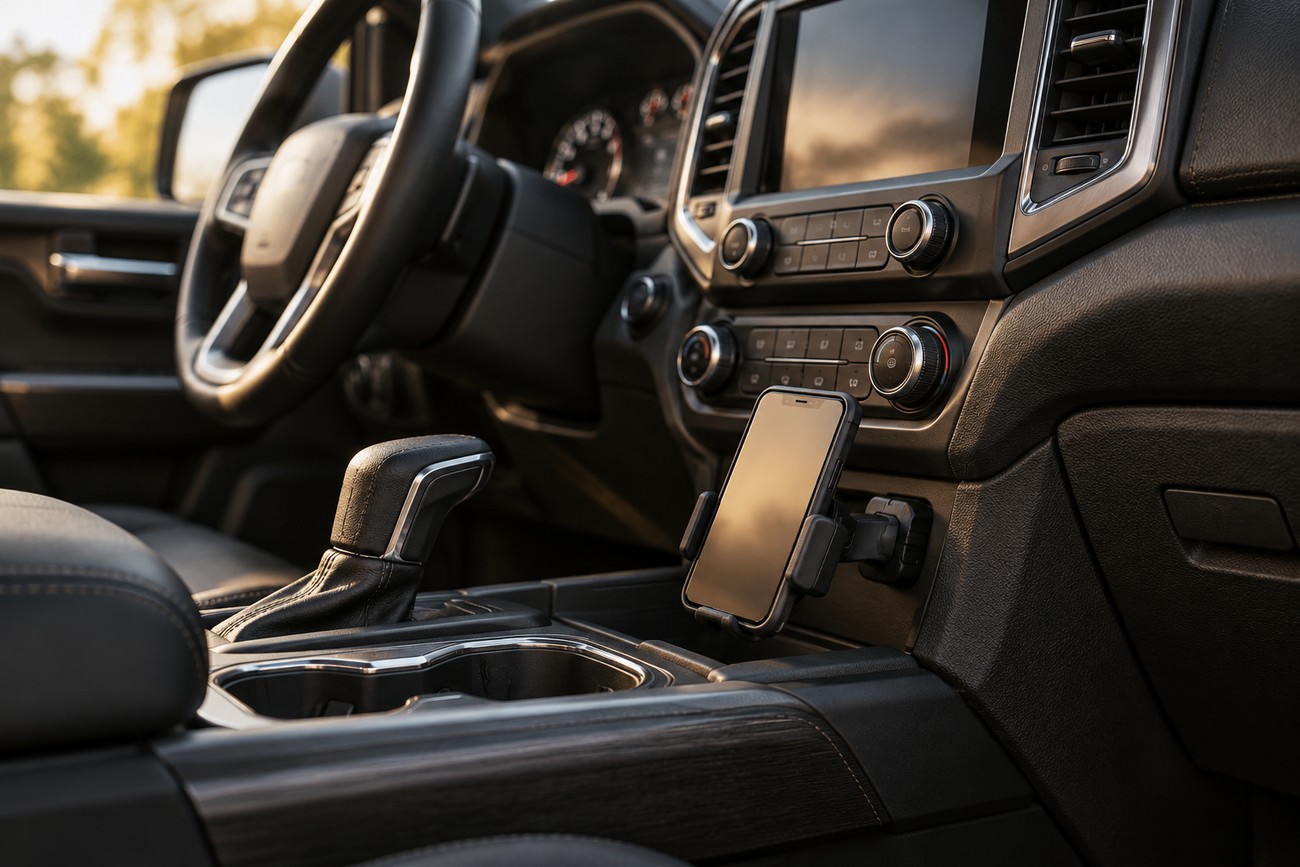
A lower dashboard or center-console mount can provide a stable, readable position without occupying the main windshield view. It must still leave the instrument cluster and controls accessible, and the phone should not interfere with a gear selector, steering movement, or other normal operation. Check the angle as well as the location, because a poorly angled screen can force a longer glance.
Vent clips are easy to fit and remove, which can suit frequent short trips. They may obstruct heating or cooling airflow, transmit vibration to the phone, and become less practical when the vent is needed to clear the windshield or manage extreme cabin temperatures. On rough roads, movement of the vent itself can make the screen difficult to read.
Windshield and adhesive dashboard mounts can offer a firm platform, but removal may leave adhesive marks, sticky residue, or surface damage. A suction cup avoids permanent adhesive in some designs, although its grip can weaken after exposure to heat and cold. A panel attachment using hook-and-loop material can be practical where the surface and instructions permit it, but it still needs a clean, suitable mounting area.
Keep the front pillar and nearby trim under special review. A location close to the driver’s front pillar may overlap a possible airbag or curtain-airbag deployment zone, depending on the vehicle. Do not place a mount there unless the vehicle manufacturer’s guidance clearly permits it. Short urban trips favor quick insertion and removal, while long or rough-road driving places greater value on rigid support and low vibration.
Compare Phone Mount Types Before You Install One
Each design solves a different daily problem. Compare the mounting method with the phone’s weight, the road surface, the available space, and whether preserving airflow or protecting the dashboard matters most.
| Mount type | Likely placement | Strengths | Typical failure points | Road and use suitability |
|---|---|---|---|---|
| Suction cup | Windshield or smooth dashboard area | Adjustable position and relatively quick removal | Grip may weaken with heat and cold; may need reinstallation | Useful when the surface is suitable and the position keeps the forward view clear |
| Adhesive base | Dashboard or other approved flat panel | Firm, low-profile installation | Residue or surface damage during removal; depends on clean preparation | Better for a settled long-term position than frequent relocation |
| Vent clip | Air-conditioning or heating vent | Fast to fit and remove; no adhesive on the panel | Can block airflow and pass vibration through the vent | Suitable for short trips and smooth roads when airflow remains available |
| Magnetic mount | Dashboard, console, or approved panel location | Very quick phone attachment and removal | Needs a suitable plate or compatible case; grip can be less dependable with heavy phones | Generally better on smoother roads and with a compatible, moderate-weight phone setup |
| Mechanical clamp | Dashboard, console, vent, or approved arm | Positive retention and broad phone compatibility | Takes longer to insert and remove; may press buttons if poorly adjusted | Often the more secure choice for heavy phones or rough roads |
Magnetic mounts are convenient for repeated stops because the phone can be attached and removed quickly. They require a suitable plate or compatible case, and that added plate can affect case fit or wireless charging compatibility in some designs. Their lighter retention is more noticeable when the phone is heavy or the road surface is poor.
Mechanical clamps usually take a little longer to operate, but their physical grip can better control movement over potholes and rough pavement. A clamp still needs correct adjustment: excessive pressure can operate side buttons, while insufficient pressure can allow the phone to shift. Suction designs also need periodic inspection rather than permanent trust in the original grip.
Install the Mount Without Creating a New Visibility Problem
Park the vehicle safely and sit in the usual driving position before attaching anything. Hold the phone and mount in the intended zone, then check the road view, mirrors, instrument cluster, and controls from that exact eye position. Mark the area only after confirming that the phone will remain below the main forward sightline and outside any possible restraint-system zone.
Prepare the surface according to the mount instructions. This may mean cleaning dust, oil, and residue from an approved smooth area and allowing it to dry before fitting the base. Do not assume that a clean-looking dashboard has the same grip as glass or that every trim material accepts adhesive or suction. If the instructions specify a curing or settling period, observe it before relying on the mount.
Attach the base firmly, then fit the phone in its actual case. Set the viewing angle so the display is readable with a brief glance and without a strong head or neck turn. Check that the arm does not drift into the windshield view when adjusted and that the phone does not cover climate or media controls.
The finished setup should be judged from the driver’s eye position with the phone and case fitted, rather than from the passenger seat with an empty bracket. The case can add enough weight or thickness to change both retention and viewing angle.
Follow the mount’s stated load and compatibility limits, but also test the complete combination of mount, phone, and case. Advertising language about a secure or unobstructed design cannot account for every dashboard shape, driver height, or road surface. Route the charging cable so it does not cross the steering wheel, pedals, gear selector, or an airbag cover.
Before driving, apply gentle hand pressure to the phone and the mounting base, then operate the nearby controls without touching the phone. This is a basic fit check, not a substitute for a road test. If the phone shifts while stationary, it is unlikely to become more secure once the vehicle is moving.
Test Visibility, Vibration, and Access Before You Trust the Setup
Make the first check while parked. Confirm that the mount leaves the forward windshield area, mirrors, instrument cluster, and controls visible and accessible from the driver’s seat. Check the cable route and make sure the phone can be inserted and removed without reaching across the steering wheel or creating a snag.
Next, use a low-risk route and keep the phone untouched while the vehicle moves. Observe whether the display shakes, the mount changes angle during turns, or the phone shifts when the vehicle passes over uneven pavement. A magnetic mount or weak suction mount may appear stable on a smooth street and lose that stability on poorer surfaces, especially with a heavy phone.
Watch for practical signs of a bad location. A vent mount that blocks airflow may become a problem when heating, cooling, or windshield clearing is needed. A screen that is technically visible but difficult to read encourages longer glances, while a mount that falls or rotates creates a distraction even if it did not initially block the road.
Recheck the setup after temperature changes, repeated vibration, or a move to a different phone case. Suction grip can change with heat and cold, and adhesive or panel mounts may loosen as the surface or attachment is stressed. Make adjustments only after parking safely; never handle or reposition the phone while the vehicle is moving.
Common Mistakes, Legal Disputes, and Safer Corrections

“It fits there” is not a safety test. A mount placed wherever there is empty space may hide part of the road, cover a control, interfere with airflow, or sit close to an airbag deployment area. Reassess the finished installation from the driver’s normal eye position, with the phone attached and angled for actual use.
Mounting the phone high on the windshield can create a second mistake. The phrase “eye level” does not make a position safe by itself; excessive height can intrude into the forward view and attract scrutiny. Not covering the instrument panel is also insufficient if the mount restricts the road view through the windshield, including the forward viewing area.
A magnetic mount is not universally the best option. It is quick to use, but a heavy phone, thick case, or rough road can expose its retention limits. A mechanical clamp may be more suitable in that situation, while a suction mount that repeatedly loses grip calls for surface preparation, reinstallation, or a different mounting zone.
Legal treatment varies by jurisdiction. In Russia, using a phone while driving without a hands-free device is associated with a 1,500-ruble fine, and a mount that restricts visibility or covers controls can create additional problems. Windshield placement should therefore be checked against local rules rather than judged by a universal claim that it is always permitted or always prohibited.
Frequently asked questions
Where is the safest place to put a phone holder in your car?
Use this order of preference: first consider the lower dashboard, then the center console, provided the phone remains readable with a brief glance and does not block instruments or controls. A vent position can work when it preserves airflow and remains stable. A windshield position is acceptable only where it leaves the road view clear and complies with local rules.
Choose among those areas from the driver’s seated position, not from the passenger side. If two locations are equally clear, prefer the one with less vibration and easier insertion and removal. Avoid the front pillar and any area identified by the vehicle manufacturer as an airbag or curtain-airbag deployment zone.
Why does a suction-cup phone mount keep falling off?
Temperature changes can weaken suction, while dust, oil, residue, or an unsuitable textured surface can prevent a proper seal. Remove the base, clean and dry the approved surface as directed, and reinstall it according to the manufacturer’s instructions. Check whether the mount has been placed on a surface it was not designed to grip.
Repeated reinstallation, a heavy phone, and vibration from rough roads can also reduce reliability. Test the phone with its case fitted, inspect the suction surface and locking mechanism, and recheck the mount after heat or cold exposure. If it continues to loosen, move to a suitable adhesive or mechanical-clamp design rather than accepting movement near the driver’s view.