Hardwiring a dash cam to the fuse box gives you a cleaner installation than leaving a power cable across the dashboard, but the result depends on correct circuit selection, fuse protection, voltage conversion, and cable routing. A fuse-box hardwire kit must convert the vehicle’s system voltage to the voltage required by the camera; many cameras use 5 V, so connecting them directly to a 12 V supply can cause damage.
Normal ignition-linked recording usually needs an ACC circuit that turns on with the ignition and turns off when the vehicle is shut down. Parking mode is a different arrangement: it commonly uses constant VCC/BATT power, a separate ACC signal, and battery protection. Without low-voltage cutoff or a time-out, the camera can continue operating while parked and drain the vehicle battery.
Vehicle fuse layouts, fuse formats, and airbag arrangements vary. Work methodically, verify circuits with a tester, and leave the trim partly open until the camera, vehicle systems, and parking-mode behavior have all been tested.
- What You Need Before Hardwiring a Dash Cam
- Choose the Right Fuse Slot for ACC or Parking Mode
- Install the Fuse Tap, Power Leads, and Ground
- Route the Cable Without Damaging Trim or Airbags
- Test the Dash Cam Before Reassembling the Interior
- Prevent Battery Drain in Parking Mode
- Common Hardwiring Mistakes and Troubleshooting Checks
- Frequently asked questions
- Which fuse slot should I use if the fuse box has an unused spare slot?
- How should a fuse tap be oriented in the fuse box?
- What should I do if the fuse tap does not fit my vehicle?
What You Need Before Hardwiring a Dash Cam
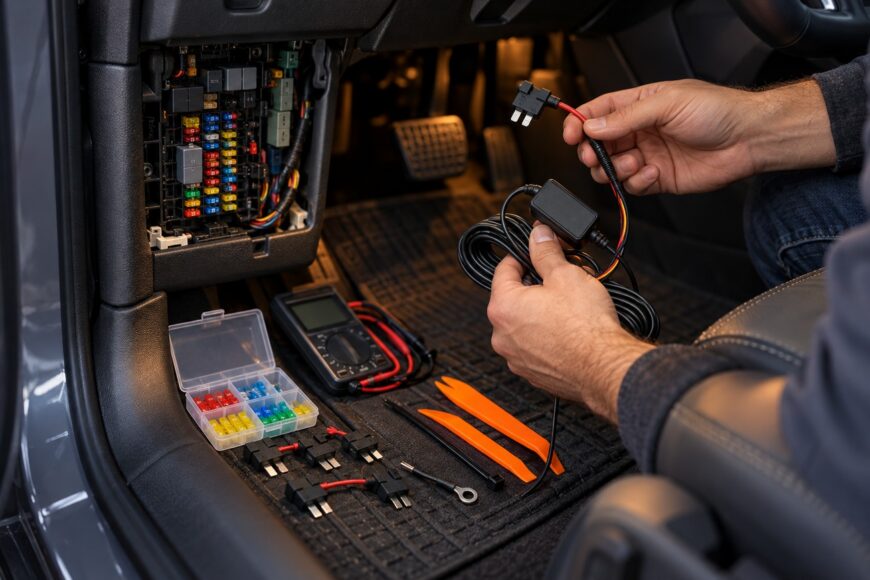
Start with a hardwire kit designed for your dash cam and vehicle voltage. Many kits accept 12–30 V input and provide 5 V output at up to 2.4 A, but these are model-specific figures, so verify the exact kit specification. The kit must provide voltage conversion rather than feeding 12 V directly to a dash cam designed for 5 V.
You will also need a fuse tap that matches the vehicle’s fuse format, such as low-profile, mini, or micro blade fuses. Prepare the correct replacement fuses, a multimeter or circuit tester, and a suitable ground point on the vehicle body. Trim tools help reduce damage to clips, seals, and interior panels during cable routing.
Before touching the fuse box, switch off the vehicle and disconnect the negative battery terminal. This reduces the risk of a short circuit while inserting the fuse tap, although it may affect stored settings or trigger warning messages on some vehicles. Follow the vehicle service information if battery disconnection has special requirements.
Check the hardwire kit instructions for its wire labels, fuse ratings, and parking-mode requirements before installation. A kit with ACC and VCC/BATT leads needs two different power sources, while a basic ignition-only kit may require only switched power and ground.
Choose the Right Fuse Slot for ACC or Parking Mode
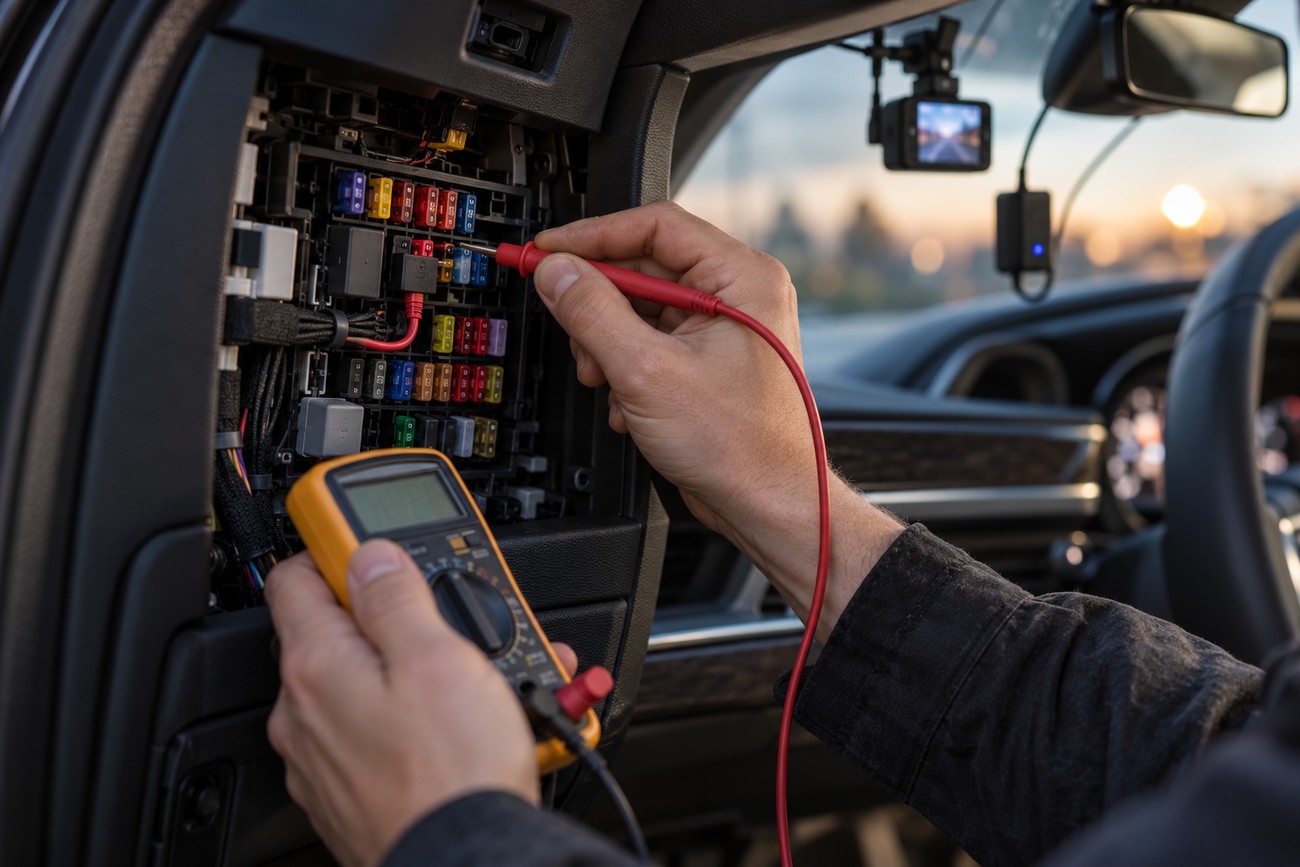
ACC is an ignition-switched circuit: it becomes live when the ignition is on and normally turns off when the vehicle is shut down. It is appropriate for ordinary ignition-linked operation. Do not choose a fuse simply because it is empty, easy to reach, or described as ACC in an unverified forum diagram.
Parking-mode kits commonly use constant VCC/BATT power to remain available while the vehicle is parked, plus a separate ACC signal to identify the ignition state. The camera uses that information to change between normal recording and parking behavior. Connecting both wires to the same type of circuit can produce incorrect mode changes.
Test each candidate fuse slot with a multimeter or circuit tester. Check it with the ignition off, with the ignition on, and after the vehicle has entered its normal shutdown state. Some vehicles keep selected circuits live temporarily, so allow the vehicle’s normal sleep period before deciding whether a slot provides constant or switched power.
The fuse tap must match the exact blade-fuse format in the vehicle. Low-profile, mini, and micro variants can look similar but are not interchangeable. If a suitable ACC source is unavailable in the cabin fuse box, another ignition-switched consumer circuit, such as the vehicle’s power outlet circuit, may be appropriate if testing confirms its behavior and the kit instructions allow it.
Install the Fuse Tap, Power Leads, and Ground
Remove the original fuse from the selected slot and place it in the fuse tap’s position for the vehicle circuit. Add a separate fuse for the dash cam circuit in the correct slot of the adapter. Keep the original vehicle fuse at the same rating it had before installation; the added dash cam fuse is often 2–5 A, subject to the hardwire kit manufacturer’s instructions.
For parking mode, connect the kit’s VCC/BATT lead to the verified constant-power circuit and its ACC lead to the verified ignition-switched circuit. For ordinary recording, connect the power lead required by the kit to the ACC source. Connect the ground lead to a secure, clean metal body point, removing paint, rust, and contamination where necessary for reliable contact.
Verify the fuse tap’s orientation before powering the camera. A visually correct adapter can still leave the factory circuit or the added circuit incorrectly protected if the feed side, fuse positions, or contact direction is wrong.
Do not omit the vehicle’s original fuse, place it in the dash cam fuse position by mistake, or force the adapter into the fuse box. Confirm that every fuse is fully seated and that the adapter does not interfere with the fuse-box cover or nearby wiring. Reconnect the battery only after the connections are secure and insulated.
Route the Cable Without Damaging Trim or Airbags

A common hidden route runs from the interior fuse box toward the A-pillar, along the headliner, and across to the dash cam. Leave enough slack for service without creating a loose loop. Secure the cable so it cannot fall into the driver’s view, rub against sharp edges, or produce rattles.
Keep the cable clear of curtain airbags and their deployment path. Do not place it across an airbag module, in front of an airbag, or where it could restrain the airbag during deployment. The safest route depends on the vehicle’s trim design, so inspect the pillar and headliner before pushing the cable behind them.
Use trim tools rather than screwdrivers or force when releasing panels and seals. A cable should sit in an existing channel or protected edge rather than being crushed under a tightly fitted panel. Avoid trapping it between the weather seal and bodywork if that prevents the seal from closing correctly.
Refit the A-pillar trim, headliner edge, and weather seal carefully. Poorly seated clips can create new creaks, wind noise, or gaps that were not present before the installation. Test the trim by gently pressing along the route and checking that the cable remains secure.
Test the Dash Cam Before Reassembling the Interior
Leave the trim loose and perform a temporary test first. Reconnect the negative battery terminal, connect the camera, and confirm that it starts when the ignition is switched on. Then switch the vehicle off and verify that the camera shuts down or changes mode as intended.
If the kit supports parking mode, confirm that constant VCC/BATT power and ACC status produce the expected transition. Test the behavior after the vehicle has been locked and allowed to shut down normally. A camera that remains powered is not necessarily operating correctly; it may indicate that ACC and VCC/BATT have been confused.
Check the camera’s recording, memory-card, and power indicators, then inspect the vehicle’s original systems. Confirm that the selected factory circuit still operates, warning lights do not appear unexpectedly, and accessories connected to nearby circuits behave normally. Incorrect fuse placement, poor grounding, or reversed power logic can cause electrical faults or unstable operation.
Correct any issue before reinstalling the trim. Test the fuse protection, ground connection, cable clearance, and operating modes again after making changes. Final assembly should be the last step, once the wiring has passed its functional checks.
Prevent Battery Drain in Parking Mode
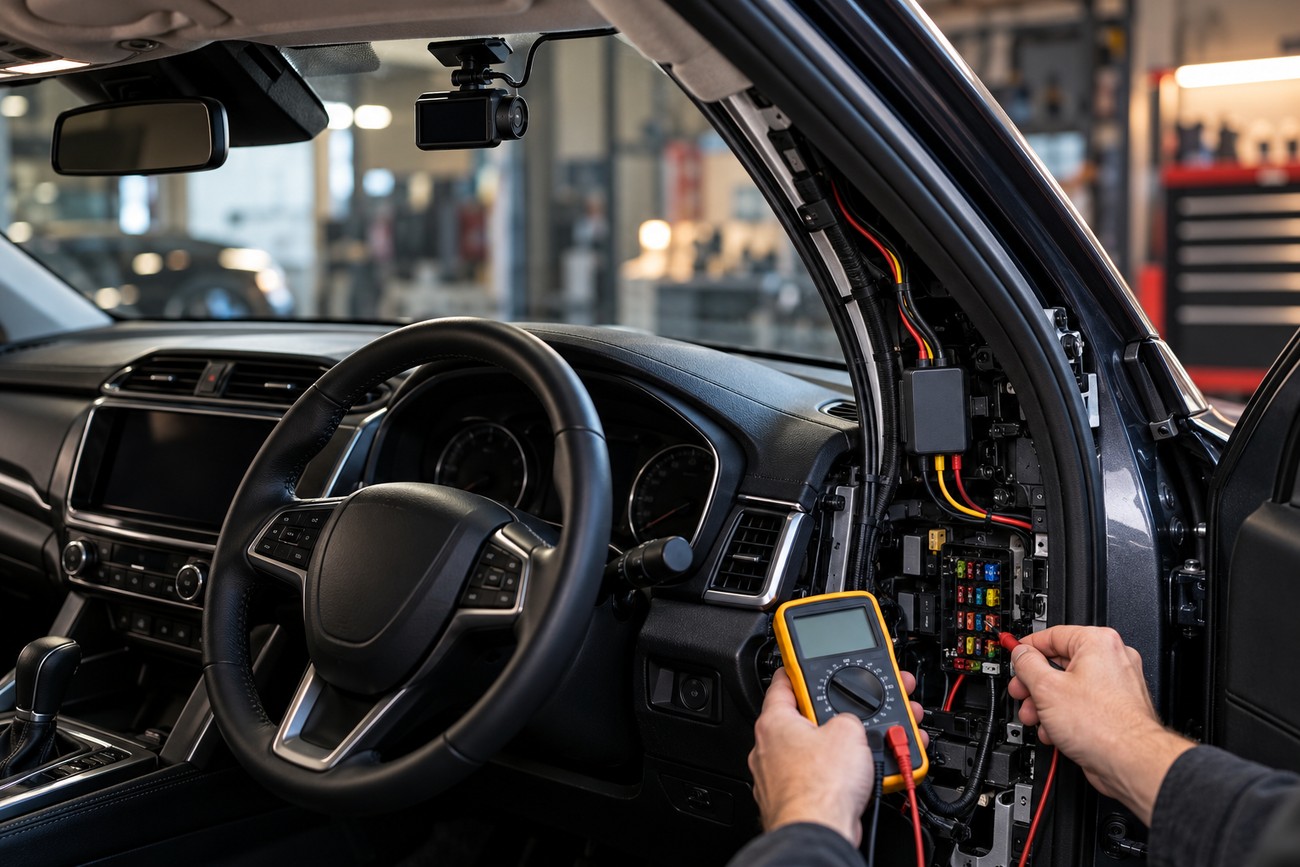
Hardwiring alone does not make parking mode safe for long-term use. A constant VCC/BATT connection can keep the camera powered while the vehicle is parked, and the battery may become too weak to start the vehicle if the system has no suitable protection.
Use a kit with low-voltage cutoff and/or a time-out when parking mode is required. Low-voltage cutoff stops the camera when battery voltage falls to a protective threshold, while a time-out limits how long the camera remains active. Check the kit’s settings and instructions rather than assuming that every hardwire adapter provides both functions.
The constant-power source also matters. A circuit that appears suitable may have vehicle-specific power-management behavior, or it may supply a function you should avoid loading continuously. Verify the circuit with a tester and follow the vehicle and kit guidance before using it as VCC/BATT.
An overnight test does not prove that the installation is safe for repeated parking. Battery condition, temperature, driving pattern, and the selected cutoff or time-out setting all affect the result. If the vehicle has a weak or aging battery, parking mode may still require conservative settings or limited use.
Common Hardwiring Mistakes and Troubleshooting Checks
If no ACC slot is found, test the fuse box at different ignition states and allow the vehicle to complete its shutdown process. Some slots remain live temporarily, while others provide constant power by design. Do not treat every fuse slot as interchangeable, and do not use an unused position until you have confirmed that it is wired and suitable.
If the fuse tap does not fit, identify the exact fuse format before buying another adapter. Low-profile, mini, and micro versions require matching fuse taps. Never force the adapter, bend its blades, or substitute an incompatible type, because poor contact can cause heat, intermittent operation, or loss of circuit protection.
If parking mode behaves incorrectly, check that VCC/BATT is connected to constant power and ACC to an ignition-switched circuit. If the camera does not power on, inspect the fuse positions, adapter orientation, ground point, and kit output specification. Many dash cams require 5 V, while the vehicle fuse box supplies vehicle-system voltage, so the hardwire kit must perform the conversion.
If the battery goes flat, confirm that low-voltage cutoff or a time-out is enabled and that the constant-power circuit is appropriate. Electrical glitches can result from a poor ground, a missing original fuse, an incorrect fuse rating, or a fuse tap installed in the wrong direction. Restore the original configuration if necessary and diagnose the vehicle-specific circuit before continuing.
Frequently asked questions
Which fuse slot should I use if the fuse box has an unused spare slot?
An unused spare slot is not automatically wired, ignition-switched, or suitable as an ACC source. Test it with a multimeter or circuit tester with the ignition off, with the ignition on, and after the vehicle has shut down normally. Use it only if it has the required power behavior and the fuse-box design supports a fuse tap in that position.
For parking mode, the spare slot must also be confirmed as an appropriate constant-power source if it is being used for VCC/BATT. A blank position that shows no voltage cannot power the camera, while a constantly live position will not provide the ACC signal needed for correct mode switching.
How should a fuse tap be oriented in the fuse box?
Check which terminal in the empty fuse slot is the feed side by testing it with the original fuse removed. Install the fuse tap so the vehicle’s feed supplies the protected fuse positions in the adapter, then verify that both the factory circuit and the added dash cam circuit receive power through their respective fuses.
Do not assume that a fuse tap works safely in either direction. The correct orientation depends on the vehicle’s fuse-box layout and the adapter design. After installation, confirm that the original circuit still works and that the dash cam circuit loses power when its added fuse is removed.
What should I do if the fuse tap does not fit my vehicle?
Match the adapter to the exact blade-fuse format installed in the vehicle, including its profile and dimensions. Remove one fuse and compare it with the adapter specification rather than relying on a general vehicle model listing, because fuse layouts can vary between trims and production years.
Do not force the wrong adapter, bend its terminals, or improvise a connection with bare wire. Obtain the correct fuse tap or use an installation method approved for the vehicle and hardwire kit. The adapter must fit securely, preserve the original fuse protection, and leave the added dash cam circuit separately fused.