A Toyota RAV4 can display “Key Not Detected” even when the fob looks normal or still unlocks the doors. The message means the RAV4 is not reliably recognizing the fob through its normal Smart Key operation; it does not automatically mean starting is impossible.
A weak or dead fob battery often stops reliable remote recognition while close-range emergency starting remains available. If electronic unlocking also fails, the hidden mechanical blade can provide entry to the cabin. Once inside, the next step is to determine whether the fob is the problem or whether the vehicle battery or Smart Key system needs attention.
- How the RAV4 Emergency Start Works
- How to Start a RAV4 When the Key Fob Battery Is Dead
- If the RAV4 Will Not Unlock: Use the Hidden Mechanical Key
- When the Fob Is Not the Real Problem
- Mistakes and Myths That Waste Time
- What to Do After You Get the Engine Running
- Frequently asked questions
- What should I do if neither RAV4 key fob is recognized?
- What happens if the RAV4 key fob battery dies?
- How do I get into my RAV4 without the remote?
- How do I start a RAV4 with the mechanical key if the remote does not work?
How the RAV4 Emergency Start Works
Under normal conditions, the RAV4 recognizes the Smart Key fob at short range inside the cabin. The vehicle uses that recognition to authorize the engine start, while the door-handle sensors and remote buttons handle access. These functions can behave differently when the fob battery is weak.
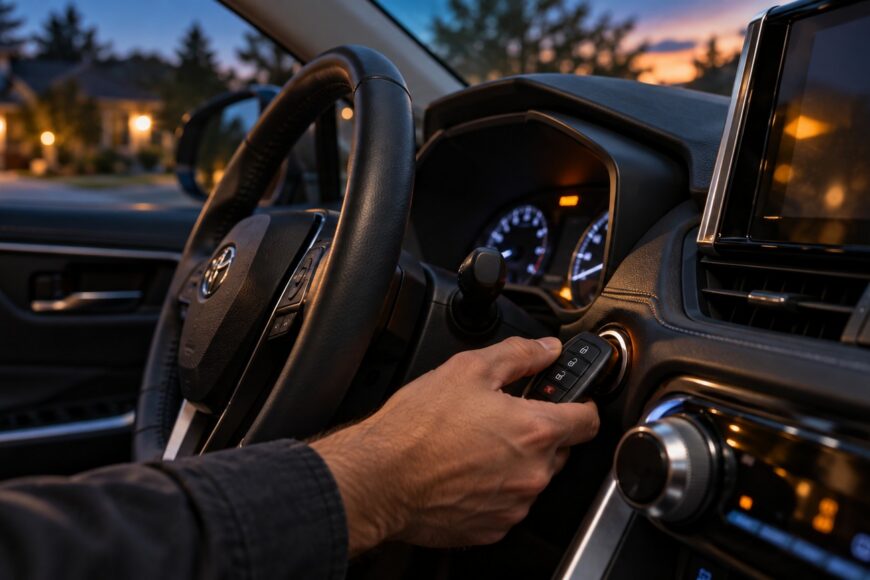
Emergency recognition uses the Engine Start/Stop button as the close-range reader. Holding the fob directly against the button gives the vehicle a much stronger opportunity to identify it than pressing the button while the fob is elsewhere in the cabin.
A weak fob battery may therefore produce an intermittent “Key Not Detected” message while the close-range emergency start method remains available. The fob should be recognized inside the cabin; it should not start the vehicle from outside at a distance.
The exact fob position and recognition signal can vary by RAV4 year and trim. Some instructions specify the rear or logo side of the fob, while others describe touching the fob to the button. The owner’s manual is the final reference for version-specific details.
How to Start a RAV4 When the Key Fob Battery Is Dead
Move into the driver’s seat and make sure the vehicle is in Park. Keep the fob inside the cabin, press and hold the brake pedal, and bring the fob directly against the Engine Start/Stop button, typically with the rear or logo side facing the button.
- Hold the brake pedal down firmly.
- Press the rear or logo side of the fob against the Engine Start/Stop button.
- Keep it in position long enough for the vehicle to recognize it, if necessary.
- Press the Engine Start/Stop button while continuing to hold the brake.
Some instructions describe simply touching the fob to the button before pressing it. Others specify holding the fob there until a beep, green readiness indicator, or another recognition signal appears. Exact behavior may vary by RAV4 version, so give the fob a moment against the button rather than moving it away immediately.
If the engine starts, remove the fob from the button and keep it with you. The vehicle can continue running until the engine is switched off. This successful start confirms that close-range recognition worked; it does not mean the fob battery no longer needs replacement.
If the RAV4 Will Not Unlock: Use the Hidden Mechanical Key
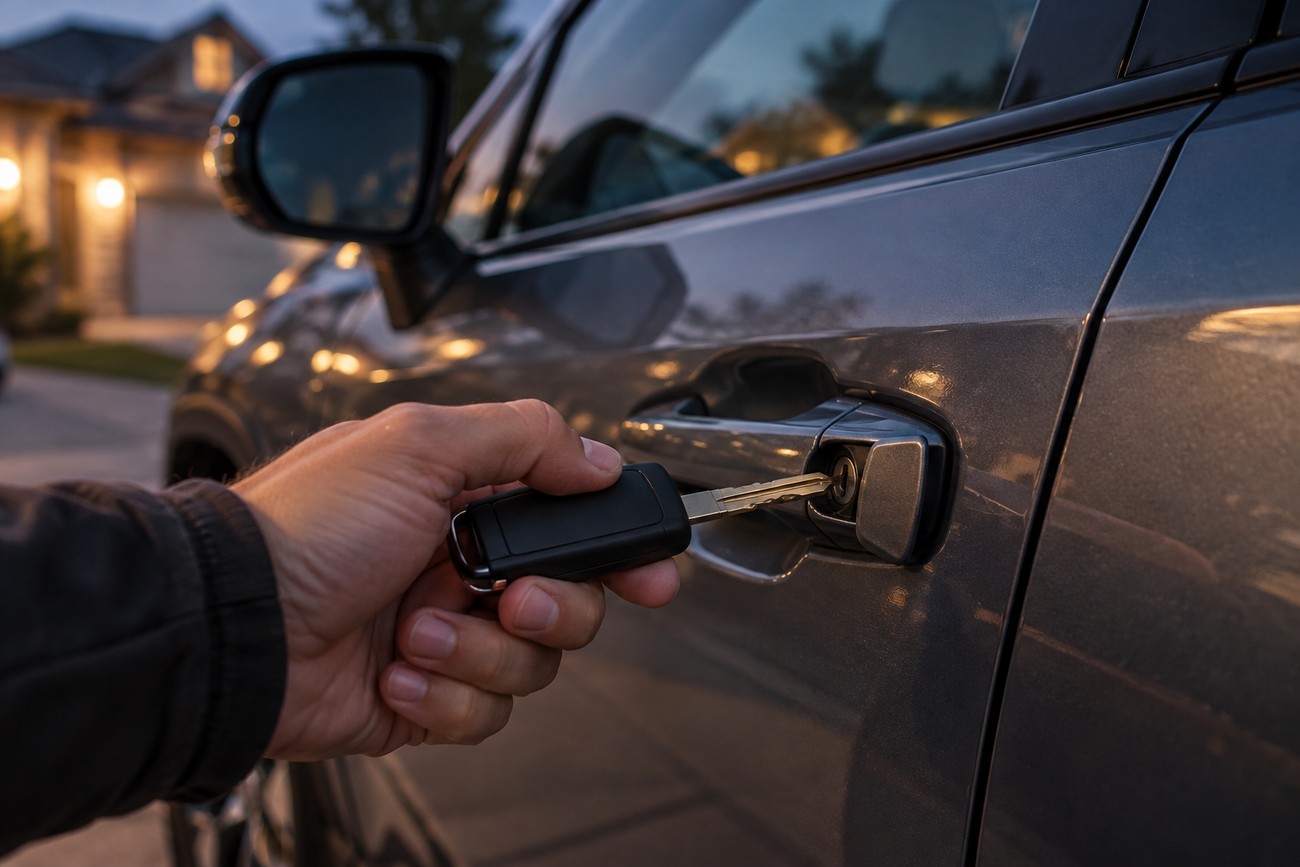
A fully depleted fob battery can prevent normal electronic unlocking even when the RAV4 itself is functional. The fob contains a concealed mechanical blade for this situation. Its release and the exact lock-cylinder arrangement can differ across RAV4 versions, so avoid forcing the housing or assuming every model uses identical trim details.
Remove the hidden blade according to the markings or release mechanism on the fob. Use it at the vehicle’s mechanical door lock to gain entry. The lock may be covered or less visible than a conventional exterior cylinder, so check the owner’s manual if the location is unclear.
Manual entry provides access to the cabin only. The mechanical blade is not a standalone engine-start key, and it does not replace the emergency electronic recognition procedure.
After entering the RAV4, sit in the driver’s seat, press the brake, and hold the fob against the Engine Start/Stop button. If the vehicle still gives no recognition response, continue with the spare-fob and vehicle checks rather than repeatedly turning the mechanical key.
When the Fob Is Not the Real Problem
A weak fob battery is only one possible cause of “Key Not Detected.” Similar symptoms can come from a vehicle 12-volt battery problem or a fault in the Smart Key system. Door access and engine starting can also behave differently because they use different Smart Key scenarios.
The simplest comparison is the spare fob. Replace or check the primary fob battery if appropriate, then try the spare using the normal start procedure and the close-range method. If the spare fob starts the RAV4, the primary fob is more likely to be faulty or depleted than the vehicle.
Compare the spare fob before disturbing the vehicle battery or replacing Smart Key components. A working spare can separate a fob problem from a vehicle-side fault without unnecessary parts replacement.
If both fobs fail to produce recognition, suspicion shifts toward the vehicle battery, the Smart Key system, or another vehicle-side issue. Disconnecting the vehicle battery is not a guaranteed fix for “Key Not Detected” and does not replace testing both fobs or checking the vehicle battery’s condition.
Mistakes and Myths That Waste Time
A dead or weak fob battery often does not eliminate the close-range emergency start method. The mistake is assuming that a failed remote signal means the engine authorization system has stopped working completely. Hold the fob against the Start/Stop button and press the brake during the attempt.
Pressing Start/Stop while the fob is at a distance is not the emergency-start procedure. The RAV4 is designed to recognize the fob inside the cabin, and the close-range reader works only when the fob is brought directly to the button.
Door unlocking does not prove that the fob is healthy for every function. A fob may still operate a lock or be detected inconsistently while its battery is too weak for reliable Smart Key operation and engine authorization.
Disconnecting the vehicle battery should not be the first response to every key warning. Start with the fob battery, the close-range procedure, and the spare-fob comparison. Those checks provide more useful direction before expensive components are considered.
What to Do After You Get the Engine Running
After a successful emergency start, the fob can generally be moved away from the button, and the vehicle continues running until the engine is switched off. Keep the fob inside the vehicle while driving and avoid treating the temporary procedure as a permanent repair.
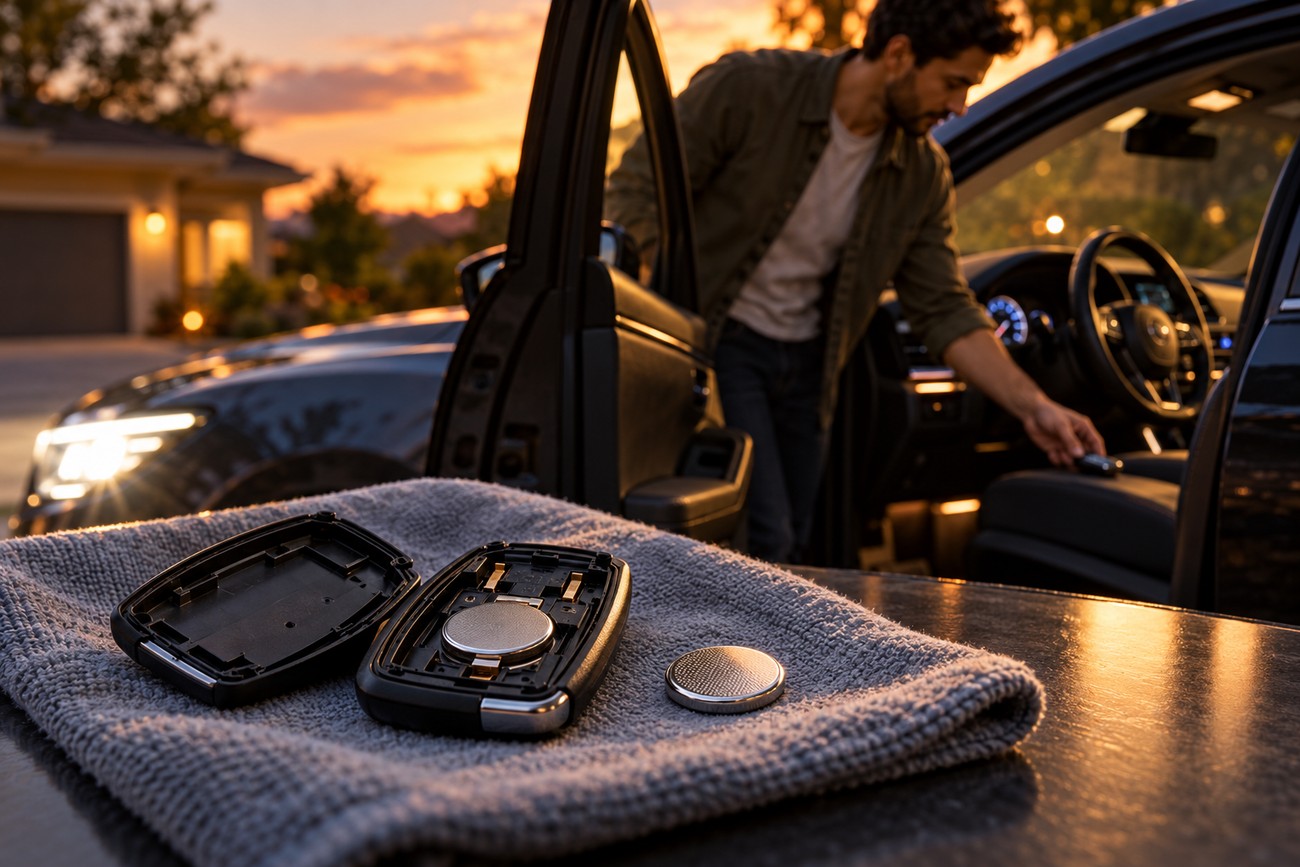
Replace the fob battery with the correct type for your fob, checking its orientation and seating. A battery that is installed incorrectly, or contacts that are dirty or loose, can leave the same warning in place even after replacement.
Test the spare fob afterward. If the warning returns with one fob only, the affected fob or its contacts deserve closer inspection. If both fobs behave the same way, check the vehicle battery and have the Smart Key system diagnosed if basic checks do not resolve the issue.
Repeated warnings after a battery replacement justify checking the fob, its contacts, the spare key, the vehicle battery, and the Smart Key system. The close-range start is an emergency workaround, not proof that the original fob battery or underlying fault has been corrected.
Frequently asked questions
The emergency procedure is broadly similar across RAV4 models, but recognition signals and fob positioning can vary. Use the vehicle’s owner’s manual for year- and trim-specific instructions.
What should I do if neither RAV4 key fob is recognized?
If both fobs fail to produce recognition, check the vehicle’s 12-volt battery and try the close-range procedure carefully with each fob. Simultaneous failure makes one depleted fob battery less likely and shifts suspicion toward the vehicle battery, Smart Key system, or another vehicle-side fault.
At that point, basic fob checks are no longer enough. Avoid relying on a vehicle-battery disconnect as a guaranteed fix; arrange a proper electrical and Smart Key diagnosis if the vehicle still will not recognize either fob.
What happens if the RAV4 key fob battery dies?
The remote buttons and normal Smart Key recognition may stop working reliably, and the RAV4 may display “Key Not Detected.” The vehicle may still start through close-range recognition when the fob is held against the Engine Start/Stop button with the brake pressed.
If electronic unlocking also fails, use the hidden mechanical blade to enter the cabin. Replace the fob battery afterward, because the emergency method is intended to get you moving rather than remove the need for repair.
How do I get into my RAV4 without the remote?
If the electronic unlock function fails, use the concealed mechanical blade inside the fob at the vehicle’s mechanical door lock. The exact lock-cylinder location and trim details can vary, so consult the owner’s manual rather than forcing a cover or handle.
This method provides manual entry when the fob battery is depleted. It does not provide a separate way to start the engine; once inside, use the fob against the Engine Start/Stop button.
How do I start a RAV4 with the mechanical key if the remote does not work?
The mechanical blade is for opening the door and is not a standalone ignition key. After entering, hold the electronic fob against the Engine Start/Stop button, press the brake, and press the Start/Stop button.
If the fob is missing entirely, or if neither fob produces recognition, the mechanical blade alone will not authorize engine starting. Both-fob failure points toward checking the vehicle battery and Smart Key system, while the owner’s manual remains the final authority for model-specific instructions.