A black screen in Reverse, an image that disappears after rain, or a “Rear Vision System Unavailable” message can make a Silverado backup camera fault look like a simple failed camera. Replacing the camera is often the fastest-looking answer, yet the fault may be in the tailgate harness, a wet connector, a fuse, a ground, the selector signal, the radio configuration, or a camera-control module.
Many Silverado models from approximately 2014–2015 onward place the factory camera in the tailgate handle. The electrical design varies by model year and equipment: the video path may use analog video or LVDS, and camera power may be managed through the BCM or infotainment system. A reliable repair therefore starts with tests that identify where the signal, power, or activation command is lost.
- What a Failed Silverado Backup Camera Actually Looks Like
- Test the Silverado Camera Before Buying Parts
- The Tailgate Harness and Water-Damaged Connector Are Prime Suspects
- When the Camera Is Fine: Selector, Radio, Software, and Module Faults
- Choosing a Replacement Camera or Radio Without Creating a New Fault
- Repairs That Last—and Shortcuts That Make the Failure Return
- Frequently asked questions
- Can a Silverado backup camera work on the bench but fail when installed?
- How do I fix a backup camera failure in a Chevrolet Silverado?
What a Failed Silverado Backup Camera Actually Looks Like
A consistently black screen usually means the infotainment system has selected the rear-camera view but is receiving no usable video. The cause may be a failed camera, an open wire, a poor ground, a missing power supply, a blown fuse, or a problem in the radio’s video input. A black screen alone does not identify the failed component.
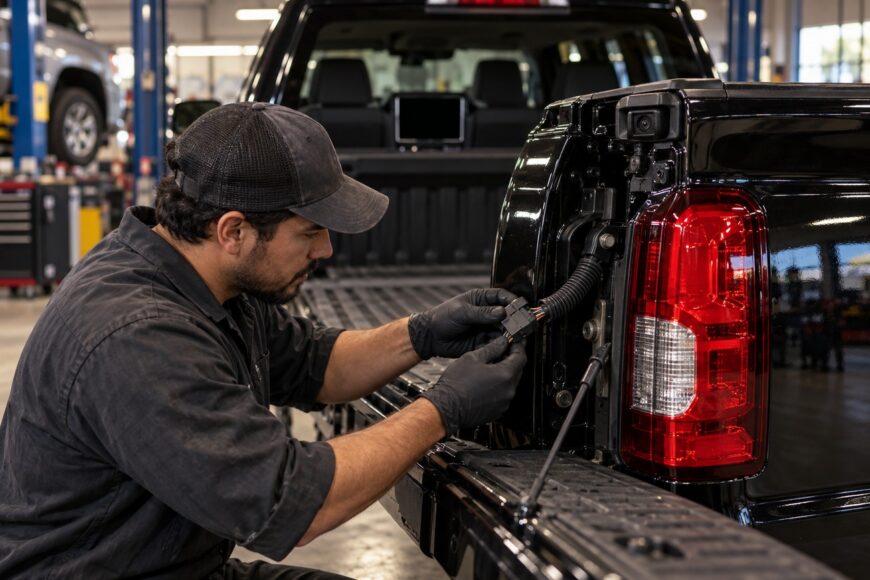
An intermittent image deserves particular attention to the tailgate area. If the picture returns after moving the tailgate, disappears after rain or washing, or changes from clear to distorted, inspect the flexing harness and camera connector before buying parts. Water around the tailgate-handle camera can create corrosion that changes electrical resistance as the vehicle moves or dries.
The warning “Rear Vision System Unavailable” can appear when the camera has no power, the system loses communication, or a control module detects an invalid input. A blown fuse can produce the same warning as a more complex electronic fault. The exact circuit differs by year and equipment, so the message should be treated as a starting point for testing rather than proof that the camera itself has failed.
A failure that began immediately after a radio replacement, software change, or infotainment repair points toward configuration and interface compatibility. Factory systems may use different video paths, including analog video or LVDS, and a replacement head unit may need the correct vehicle configuration before it can display the camera. Silverado model years should be diagnosed according to their wiring and module architecture rather than treated as electrically identical.
Test the Silverado Camera Before Buying Parts
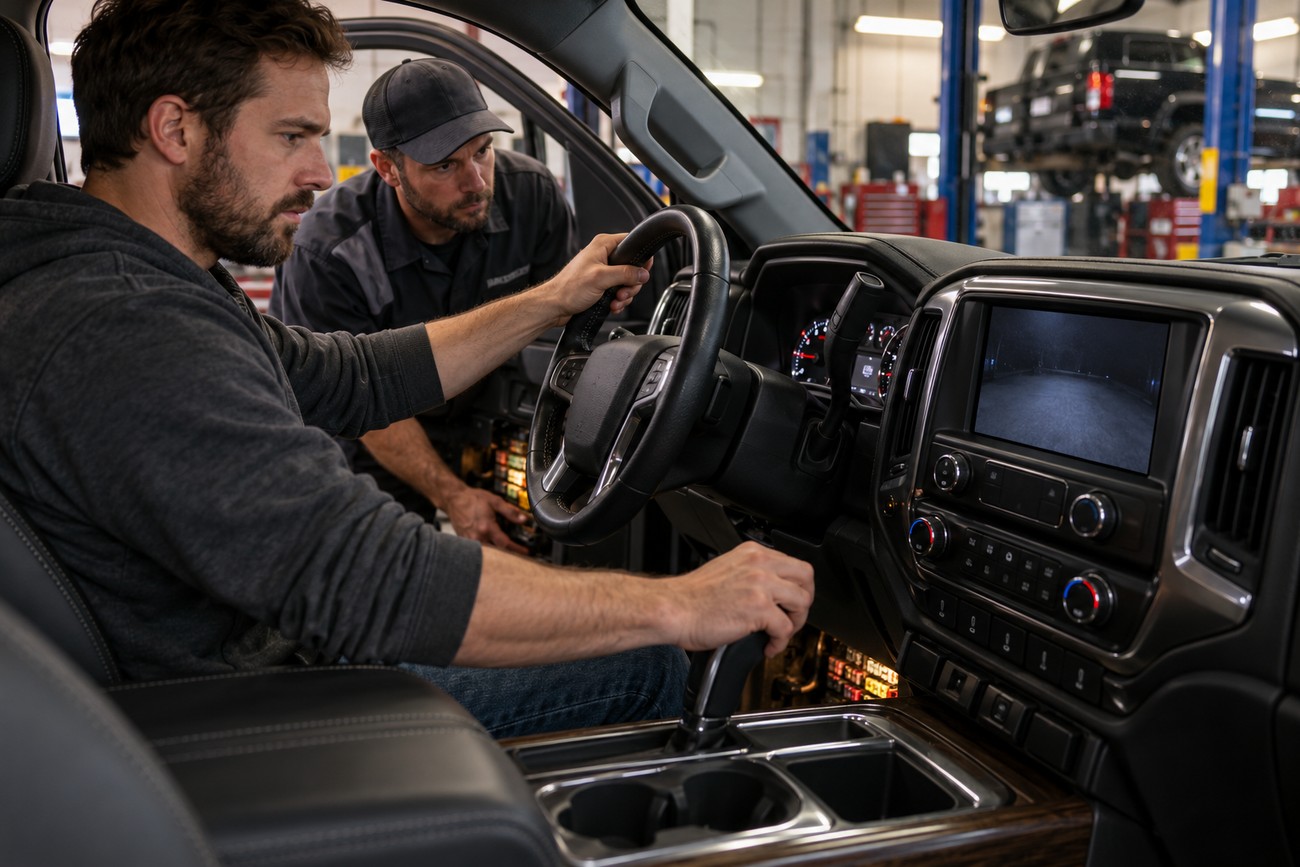
Begin with a controlled symptom check. Start the truck safely, apply the brake, select Reverse, and confirm whether the display changes to a camera screen, stays on the previous source, shows a warning, or remains completely black. Check whether the problem occurs every time and whether other rear or trailer-camera functions are affected. These observations help separate an activation problem from a video problem.
Check the relevant fuse and the camera’s power path using the vehicle’s wiring information. The fuse may be in the underwood or under-seat block, depending on the Silverado’s year and equipment, and the camera may receive power through the BCM or infotainment system rather than directly from the reverse lamp. A fuse should be tested for power on both sides with the circuit active; visual inspection alone can miss a poor connection.
Inspect ground points at the rear of the vehicle and test the camera ground under load. A weak ground can cause a blank image, interference, or an intermittent failure even when voltage appears present with no load. Also inspect the connector for loose terminal tension, pushed-back pins, moisture, or corrosion. Avoid using a test method that could introduce voltage into a data or video circuit.
Flex the tailgate harness while verifying power, ground, and the selector input. A camera that appears defective during a static inspection may be responding to a conductor that opens only as the tailgate moves.
Scan the vehicle with an OBD-II tool that can read more than generic engine codes. A successful PRNDL selector-position signal is required for normal camera activation, and selector-related faults may be stored even when the transmission operates normally. If the vehicle does not reliably report Reverse, the camera may be working while the display command is being withheld.
Finally, move the body-to-tailgate harness gently while monitoring the display and, where possible, the circuit readings. Do not pull sharply on the flex boot or use a meter setting that could damage a module. A change during this test strongly supports a harness or connector fault, while stable power, ground, selector input, and communication shift attention toward the camera, radio, or control module.
The Tailgate Harness and Water-Damaged Connector Are Prime Suspects
On approximately 2014–2018 Silverado models, wire breaks and connector faults in the body-to-tailgate flex boot are a commonly recognized failure pattern. The conductors bend every time the tailgate opens, and the insulation can remain intact while the copper strands break inside. A circuit may therefore pass a quick continuity check with the tailgate still, then fail during normal use.
Look for green corrosion, swollen seals, loose terminals, and water tracks near the camera connector and tailgate handle. Road salt and repeated wetting can affect the connection, especially in regions that use de-icing chemicals. A camera that fails after washing and returns later has a strong moisture-related clue, although the camera itself should still be tested before replacement.
Ground condition matters as much as the positive supply. Corrosion at a rear ground point can reduce operating voltage at the camera and degrade image quality. Check the ground path with a voltage-drop test while the system is commanded on, then repair the ground connection rather than relying on a visual inspection.
A durable repair may require replacing damaged terminals, splicing the wire with sealed automotive repair methods, or replacing a compromised harness section. Cleaning a green terminal and covering it with ordinary tape may restore operation briefly while leaving corrosion inside the connection. Excess sealant can also trap moisture around the connector, so sealing should follow the connector design and repair procedure.
When the Camera Is Fine: Selector, Radio, Software, and Module Faults
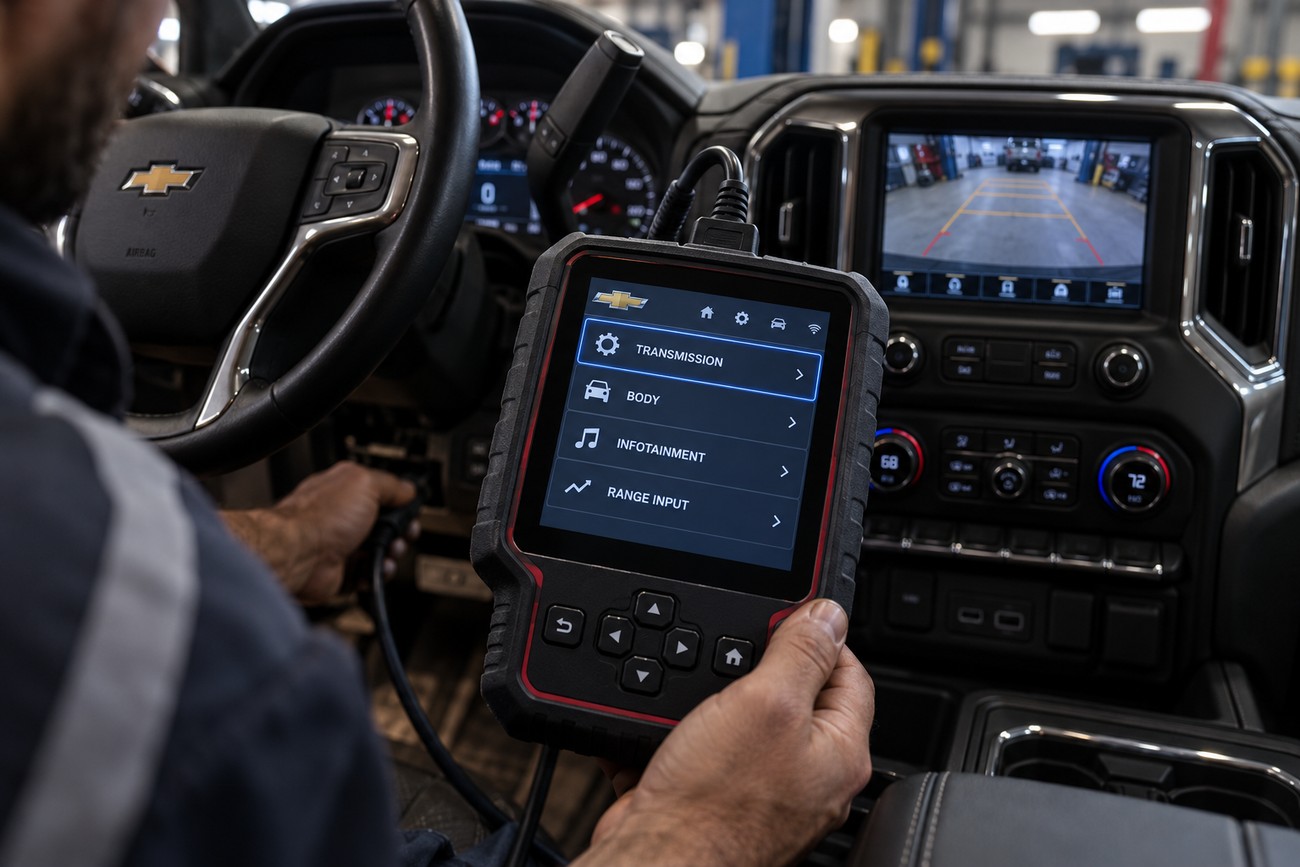
The PRNDL signal is one of the easiest causes to overlook. The camera normally activates only after the vehicle confirms the selector position, so a fault in the range-position input can prevent the rear image even when camera power and video wiring are intact. An OBD-II scan that accesses transmission, body, and infotainment-related systems can reveal selector faults that a basic engine-code reader misses.
Silverado camera power and activation may be routed through the BCM or infotainment system. Rewiring the camera to a reverse-lamp feed can bypass the intended control logic and create network or control errors on some versions. A wiring diagnosis should therefore confirm the factory circuit before any alternative power source is considered.
A replacement or reprogrammed MyLink or IntelliLink head unit may need the correct vehicle configuration before the factory camera will operate. The same issue can follow an infotainment software change if the camera option, video interface, or related vehicle settings are missing. Some GM configuration procedures require dealer-level equipment such as Tech2 or GM MDI.
On newer Silverado systems from approximately 2019 onward, rear, trailer, and 360-degree camera functions may depend on a camera-control module. A communication or module fault can disable the image even when the lens and visible wiring appear undamaged. If several camera views fail together, scan the relevant modules and network rather than replacing each camera separately.
Choosing a Replacement Camera or Radio Without Creating a New Fault
Match a replacement camera to the Silverado’s model year, equipment, signal type, power requirements, connector, viewing angle, and head-unit configuration. Factory systems may use analog video or LVDS, depending on the year and equipment. A connector that physically fits does not prove that the camera’s signal or power requirements are correct.
Universal cameras are not automatically compatible. Signal level, video format, power supply, connector wiring, guide-line behavior, and communication requirements can differ between systems. GM recommends original or certified-compatible camera components where system compatibility matters, particularly when the factory display and dynamic guide lines must continue working.
Viewing angle also affects safe use. A very wide-angle camera can make objects appear farther away or distort the space behind the truck, which becomes more noticeable while aligning a trailer. Select an angle that preserves useful distance perception instead of choosing the widest specification available.
An aftermarket radio can retain camera operation when the installation uses the correct CAN adapter, video interface, and vehicle configuration. The installer should verify how the Silverado generates the Reverse command and how the radio accepts the camera signal before removing the factory head unit. A “plug-and-play” claim is incomplete if programming or an additional interface is required.
Repairs That Last—and Shortcuts That Make the Failure Return
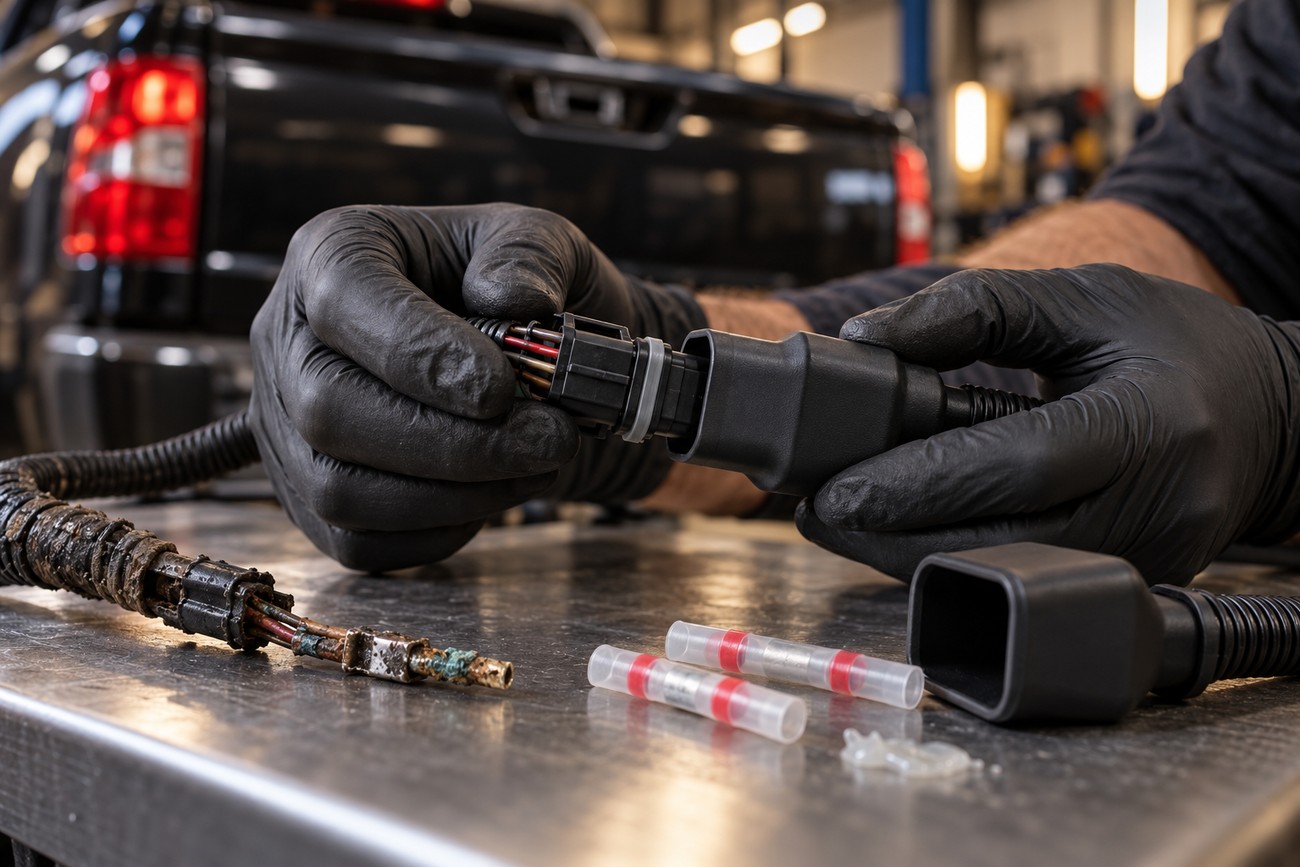
Start a lasting repair by locating the failed part of the circuit. Replace damaged terminals, repair broken conductors with sealed automotive methods, restore ground points, and replace a connector or harness section that has suffered corrosion. If the camera itself fails after power, ground, video path, and activation have been verified, replacement becomes a reasoned decision rather than a guess.
Moisture protection should preserve the connector’s sealing system. A suitable water-resistant cover and compatible dielectric protection can reduce repeated moisture-related failures when applied correctly. The connector must still be clean, mechanically sound, and fully locked; grease cannot repair a loose terminal or remove corrosion from a damaged contact.
Several shortcuts commonly bring the fault back. Replacing only the camera leaves a broken flex-boot wire untouched, while ordinary tape may absorb or hold moisture around a corroded splice. Connecting the camera directly to the reverse-lamp circuit can also conflict with BCM-managed control on some Silverado versions.
Inspect the tailgate harness, connector sealing, rear grounds, and camera mounting area periodically, particularly after water intrusion or winter road-salt exposure. Treat the camera as an electronic system with vulnerable wiring rather than as a maintenance-free lens. That routine can identify a deteriorating connector before it becomes a complete loss of the rear view.
Frequently asked questions
Silverado backup-camera faults can involve the camera, wiring, power, ground, activation signal, radio configuration, or a control module. Testing the installed circuit and using year-specific wiring information helps avoid replacing compatible-looking parts that cannot work together.
Can a Silverado backup camera work on the bench but fail when installed?
Yes. A bench test may confirm that the camera can produce an image while missing a vehicle-side fault. Installed operation depends on the Silverado supplying the correct power, ground, connector contact, activation command, and selected video interface.
Connector tension is especially important. A terminal may touch during a low-stress bench setup and open when the tailgate harness moves or the connector vibrates. Test voltage and ground at the installed connector, confirm the radio is configured for the camera’s signal type, and check whether the vehicle is correctly reporting Reverse.
How do I fix a backup camera failure in a Chevrolet Silverado?
Confirm the symptom in Reverse, test the applicable fuse and power path, verify the rear ground, scan for selector and module faults, and inspect the body-to-tailgate harness and camera connector for broken wires or corrosion. Use the Silverado’s year-specific wiring information because fuse locations, camera interfaces, and control architecture vary.
Repair the failed circuit or connector before replacing the camera. If the fault began after a radio replacement or software change, verify configuration and the required adapter or programming. Newer systems may also need camera-control-module diagnostics, while some GM procedures require Tech2 or GM MDI.